Group spend the way your business runs.
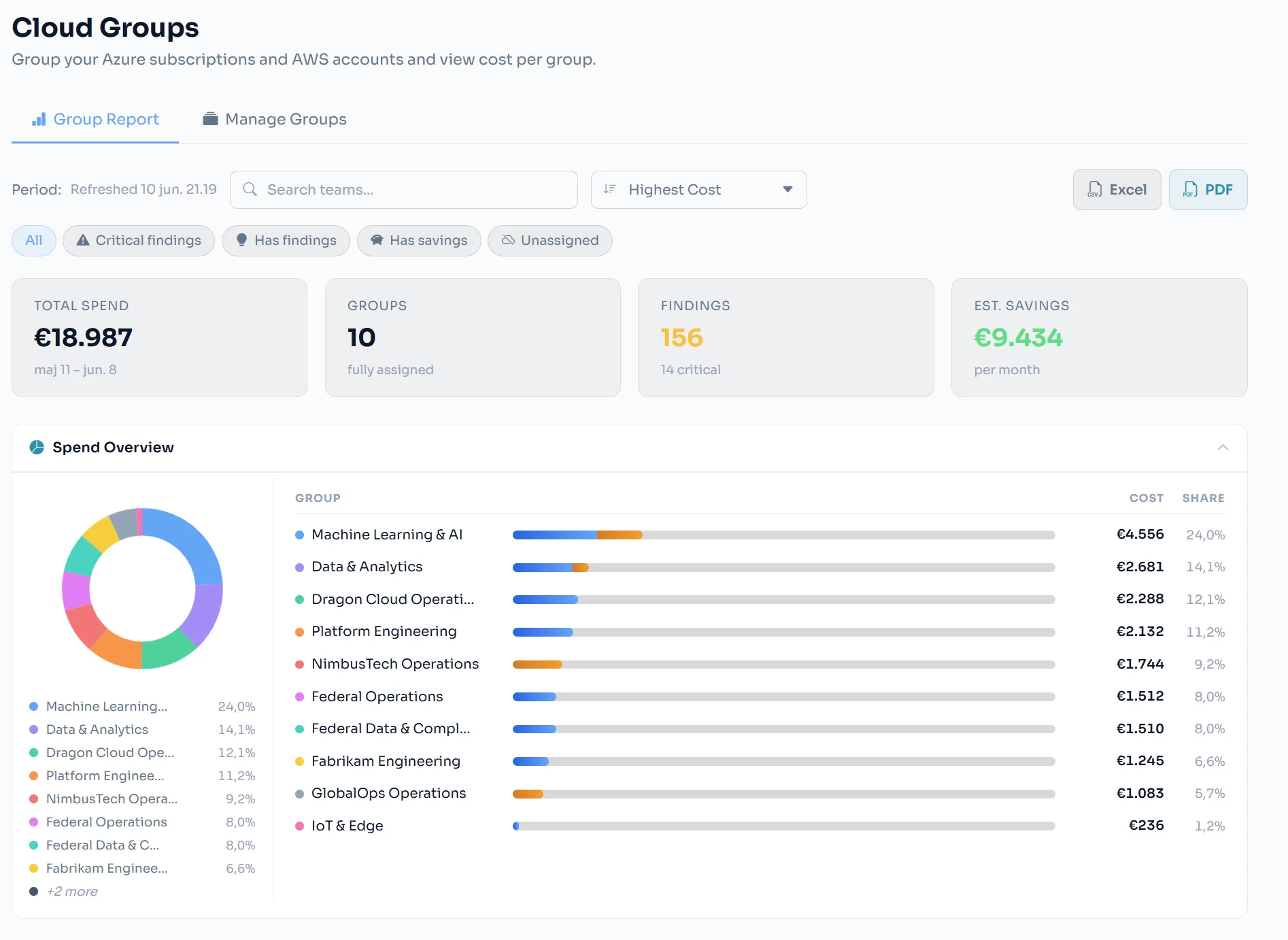
Organize Azure subscriptions and AWS accounts into Cloud Groups that mirror your organization — synced from your CMDB, imported from a file, or built by hand. Each group gets its own spend, findings, savings, and reports.
CMDB / ITSM sync
Keep groups aligned with your ServiceNow cloud-accounts data automatically.
File import
Bulk-create groups from the CSV or Excel mapping you already maintain.
Custom groups
Hand-build groupings for anything the org chart doesn’t capture.
Per-group everything
Spend, forecasts, findings, exports, and scheduled reports — per group.
The organisational
layer on top.
Unifying Azure and AWS cost data is the foundation — not the finish line. CloudOptify adds the organisational structure that turns raw cloud numbers into business intelligence: team ownership, cost-centre attribution, environment classification, and ITSM integration.
Team-level cost ownership
Create teams and assign Azure subscriptions and AWS accounts to each. Every team gets its own spend dashboard, waste findings, and month-end Holt-Winters forecast — scoped exclusively to their accounts.
Define wildcard or regex patterns — CloudOptify auto-assigns matching subscriptions and AWS accounts, including new ones added later.
Upload a spreadsheet with columns for TeamName, SubscriptionId, CostCenter, OwnerEmail, Environment, and BusinessApplication. CloudOptify shows a column-mapping preview before committing — teams are created or updated in bulk, subscriptions assigned automatically.
Connect your ServiceNow instance and CloudOptify will pull Azure subscription-to-team assignments directly from your CMDB — on a schedule or triggered manually. CMDB fields (owner_email, cost_center, business_application, environment) are mapped automatically.
Work Board — assigned findings
A finding that lives in a dashboard without a named owner is a finding that gets ignored. Work Board closes that loop: any waste finding, cost anomaly, or FinOps recommendation can be assigned directly to a team member, with a tracked workflow and a comment thread.
Management view: filter by assignee, state, or severity. See which findings have been actioned and what savings have been realised vs. what is still pending.
ITSM integration — ServiceNow
Team metadata in CloudOptify maps directly to ServiceNow CMDB fields. A waste finding that stays in a cost portal never becomes a remediation ticket — ITSM integration ensures findings flow into the operational workflows your teams already run.
Any subscription or AWS account not yet assigned to a team appears under "Unassigned" in the team report. Cloud spend with no owner, no cost centre, and no accountability is surfaced directly — not hidden. Management sees the full picture: owned spend and dark spend, side by side.
Related features
See it on your numbers.
Early access — a new platform, onboarding teams now.