One filter. Every view follows.
Choose what you want to look at — a grouping, specific accounts, or subscriptions — and the entire platform adopts that scope instantly. Dashboards, reports, findings: the numbers never disagree between screens.
Scope once
Pick groupings, accounts, or subscriptions in one place at the top of the app.
Everything follows
Every dashboard, table, and report reflects the same scope automatically.
No mismatched numbers
Finance and engineering literally look at the same slice of data.
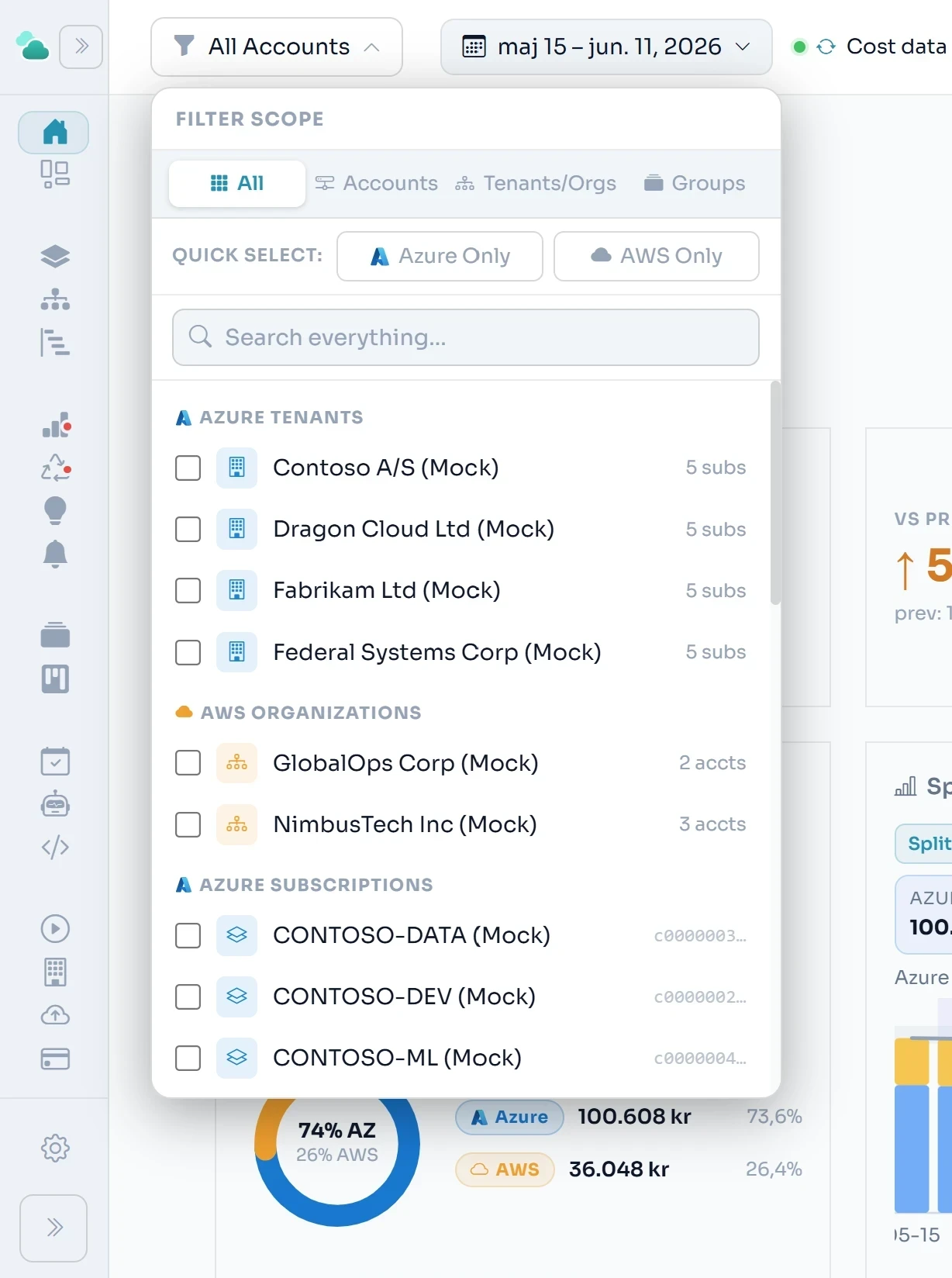
One filter. Every view.
Any combination.
The top-bar scope filter controls every page simultaneously — cost analysis, waste detection, FinOps, team reports, Cloud Map, Cost Explorer. Change the scope once and the whole platform reloads to match. No per-page filter to reset, no inconsistency between tabs.
The filter supports combinations that no native cloud portal offers: a single Azure tenant, three specific AWS accounts, and the unassigned accounts from your organisation — all selected at the same time, all producing a unified cost view.
Example: multi-select active
This scope covers:
Related features
See it on your numbers.
Early access — a new platform, onboarding teams now.